
SecureGuard Security App - Get APK
You'll be able to download in few seconds.
Publisher Description
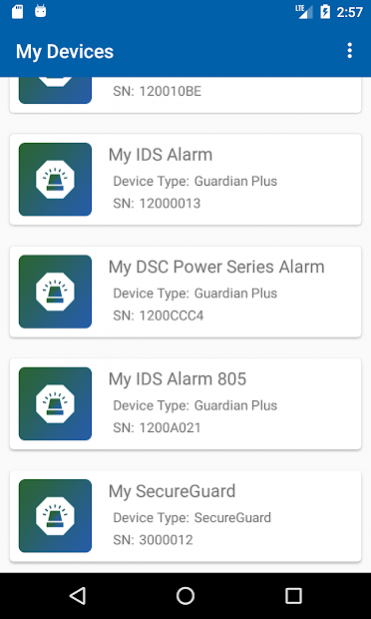
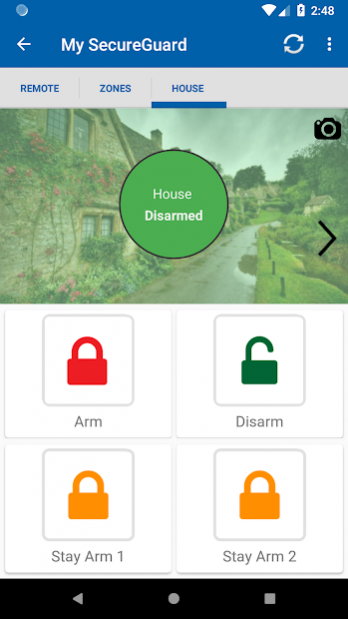
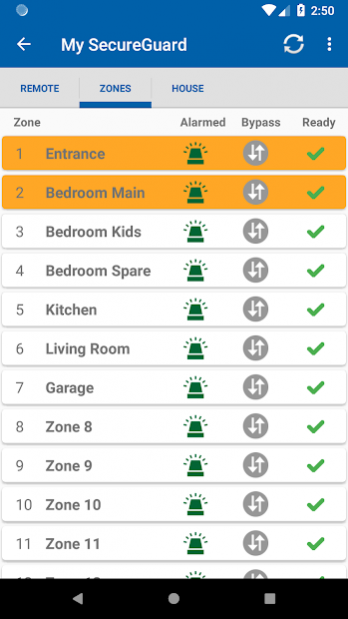
Monitor and control your alarm system from anywhere in the world when using a SecureGuard alarm panel or a Guardian communicator with selected third-party alarm panels.
The SecureGuard app allows you to be in control and aware of whatever is happening at your home even when you’re not there.
With the SecureGuard app you will be able to easily:
• Arm, disarm or stay arm different areas of your home as set up by the technician
• Receive alerts when the alarm is triggered and know where on your property the intrusion occurred
• Check whether your alarm system is armed or not
• Open or close your gate or garage door and switch your lights, sprinklers and pool pump on or off
• See if there is AC power or not at your place
• Identify the different areas or partitions of your home by uploading photos and customising area and zone names
• Access a history of events via the event log
• Bypass specific zones, when in use, to prevent triggering an alarm
PLEASE NOTE:
To access the above features and more you have to be using a SecureGuard alarm panel or a Guardian communicator which is connected via the serial port to one of these third-party panels:
- IDS X-Series & IDS805
- Texecom Premier 412, 816 & 832
- Paradox MG & SP series
- DSC PowerSeries & PowerSeries Neo
- Risco LightSYS 2
Terms & Conditions apply.
About SecureGuard Security App
The company that develops SecureGuard Security App is Fidelity ADT. The latest version released by its developer is 1.0 .
To install SecureGuard Security App on your Android device, just click the green Continue To App button above to start the installation process. The app is listed on our website since 2021-05-14 and was downloaded 0 times. We have already checked if the download link is safe, however for your own protection we recommend that you scan the downloaded app with your antivirus. Your antivirus may detect the SecureGuard Security App as malware as malware if the download link to com.secureguard.mobileapp is broken.
How to install SecureGuard Security App on your Android device:
- Click on the Continue To App button on our website. This will redirect you to Google Play.
- Once the SecureGuard Security App is shown in the Google Play listing of your Android device, you can start its download and installation. Tap on the Install button located below the search bar and to the right of the app icon.
- A pop-up window with the permissions required by SecureGuard Security App will be shown. Click on Accept to continue the process.
- SecureGuard Security App will be downloaded onto your device, displaying a progress. Once the download completes, the installation will start and you'll get a notification after the installation is finished.
Program Details
System requirements
Download information
Pricing
Version History
version
posted on 2021-05-14
* This version includes bug fixes and improvements.
version
posted on 2020-11-26
What's new?
* If you own a SecureGuard panel, manual panic is in your hands! When you send a panic alert via the app, your armed response provider will go to the property where your alarm panel is installed. It is not a GPS-based panic feature.
* Once you have verified your phone number, you can now reset your password with an SMS.
* Remember, you don't need to log out if you've selected the "Remember Me" login option in the app.
version
posted on 2020-10-14
This version makes it easier for you to update your user profile. All your registration details can be updated and you can now request a new password via SMS, on a verified number. We added a lot more error messages to help troubleshoot alarm panel connection issues. Lastly, the app can now be used with the Risco LightSYS 2 alarm panel.
version
posted on 2020-05-26
With this release, exit delays are displayed on the app when an exit delay is programmed on an alarm panel; except Rhino and Texecom which arms immediately when arming via the app even when an exit delay is programmed. You can now see up to 64 zones on the DSC PowerSeries Neo alarm panel.
version
posted on 2019-11-26
With this release, we added support for exit delays. if your alarm panels (all panels except Rhino and Texecom) has been configured with an exit delay. The range for supported DSC PowerSeries Neo zones has also increase to 64. We also optimized the loading of the panel status.
version
posted on 2019-11-06
With this update, we bring you the ability to share access to your alarm panel with guests. They simply need to download the SecureGuard app and register an account. Then you can invite them using the email address they registered with. More information has also been added to the notification history and we have made updates to the app to make it even more secure.
version
posted on 2019-11-01
Added support for DCS Power Series to bypass zones
version Varies with device
posted on 2019-05-16
Made major interface changes and improved stability.
Disclaimer
External Download
We do not host SecureGuard Security App on our servers. We did not scan it for viruses, adware, spyware or other type of malware. This app is hosted by Galad and passed their terms and conditions to be listed there. We recommend caution when installing it.
The APK Download link for SecureGuard Security App is provided to you by apps112.com without any warranties, representations or guarantees of any kind, so access it at your own risk.
If you have questions regarding this particular app contact the publisher directly. For questions about the functionalities of apps112.com contact us.
